
AI legal document review uses natural language processing and machine learning to scan contracts, leases, NDAs, and vendor terms, flagging risky clauses and missing protections before you sign. In 2026, that means faster first passes, clearer redlines, and fewer “we didn’t see that” surprises so small businesses can triage what to accept, negotiate, or escalate to a lawyer.
Last spring, a neighborhood bakery almost lost its security deposit over a clause it didn’t notice in a lease addendum. AI legal document review gives you a fast first pass on contracts so mistakes like that are less likely.
If you don’t have in‑house counsel, you feel the pinch. Attorney time at $200–$500 per hour adds up fast, and one bad clause can cost a five‑figure hit. Small businesses face an average of 1–2 legal disputes per year, and 60%+ of owners sign contracts they don’t fully understand. You are not alone if you’ve nodded through legalese and hoped for the best.
This guide is education‑first. You’ll learn what these tools can and can’t do, how to set up a workflow, where owners slip, and which platforms fit different needs. You’ll also see clear examples: a bakery lease, a freelancer MSA, a SaaS vendor agreement. By the end, you’ll know how to add AI as a safety net and when to escalate to a human lawyer.
**Visit LawyerBuddy.

What Is AI Legal Document Review and Why Should Small Businesses Care?
This software scans contracts, leases, NDAs, vendor terms, employment offers, and more. It spots red flags like unlimited indemnity, no liability cap, harsh auto‑renewal, odd IP assignments, and vague termination rights. It also points out missing staples, such as confidentiality, data‑security promises, or dispute‑resolution language.
Under the hood, it relies on natural language processing and pattern recognition. If you want a simple primer, see the Wikipedia overview of natural language processing. You don’t need to be technical. You upload a file, the tool extracts clauses, compares them to safe ranges or your playbook, and returns a summary in plain language.
Why it matters for you: most small businesses don’t have in‑house lawyers, and legal review bills pile up. At $200–$500 per hour, a single long vendor agreement can eat a week’s profit. A missed clause in a commercial lease or SaaS terms can cost tens of thousands in fees, penalties, or down‑time later. Moreover, small businesses face an average of 1–2 legal disputes per year, and over 60% of owners sign contracts they don’t fully understand. That is a lot of risk concentrated in paperwork you touch monthly.
Think of these tools as a first‑pass safety net, not a replacement for legal counsel. They are great at pattern spotting and triage. They are not great at understanding your exact business risk, local law quirks, or negotiating with a landlord. Use them to get clarity fast. Then, when something looks serious, route it to an attorney with context already organized.
Examples that hit home
- Bakery lease: The tool flags a “restore to original condition” clause that could force costly renovations at move‑out.
- Freelancer MSA: It warns that IP assignment is unclear and suggests adding “work made for hire” plus assignment on payment.
- SaaS vendor agreement: It highlights an auto‑renewal with 90‑day notice and a liability cap excluding data breaches.
Also Read!
Step-by-Step: How to Set Up AI Legal Document Review for Your Business
You don’t need a large rollout. You need a clear method you can repeat. Here’s a practical framework that works for small teams.
Step 1: Audit your document types
List everything you sign or send. Include leases, vendor agreements, employment contracts, NDAs, client MSAs, statements of work, SaaS terms, partner agreements, and insurance policies. This audit becomes your intake list.
Step 2: Identify your risk areas
Name the clauses that matter most for you: indemnification, liability caps, auto‑renewal windows, IP assignment, termination for convenience, non‑compete/non‑solicit, confidentiality, data protection, and governing law. For a bakery, focus on rent escalations, personal guarantees, fit‑out duties, and exit terms. For a freelance agency, lock in IP, payment terms, and scope change controls.
Step 3: Choose the right tool for your volume and complexity
Self‑serve tools let you upload and scan, then export a summary. Platforms with human lawyers add a follow‑up option. If you review five short contracts a month, a self‑serve option may be enough. If you face thorny cross‑border MSAs or local‑law twists, pick a tool that can escalate to a lawyer.
Operationalize the review
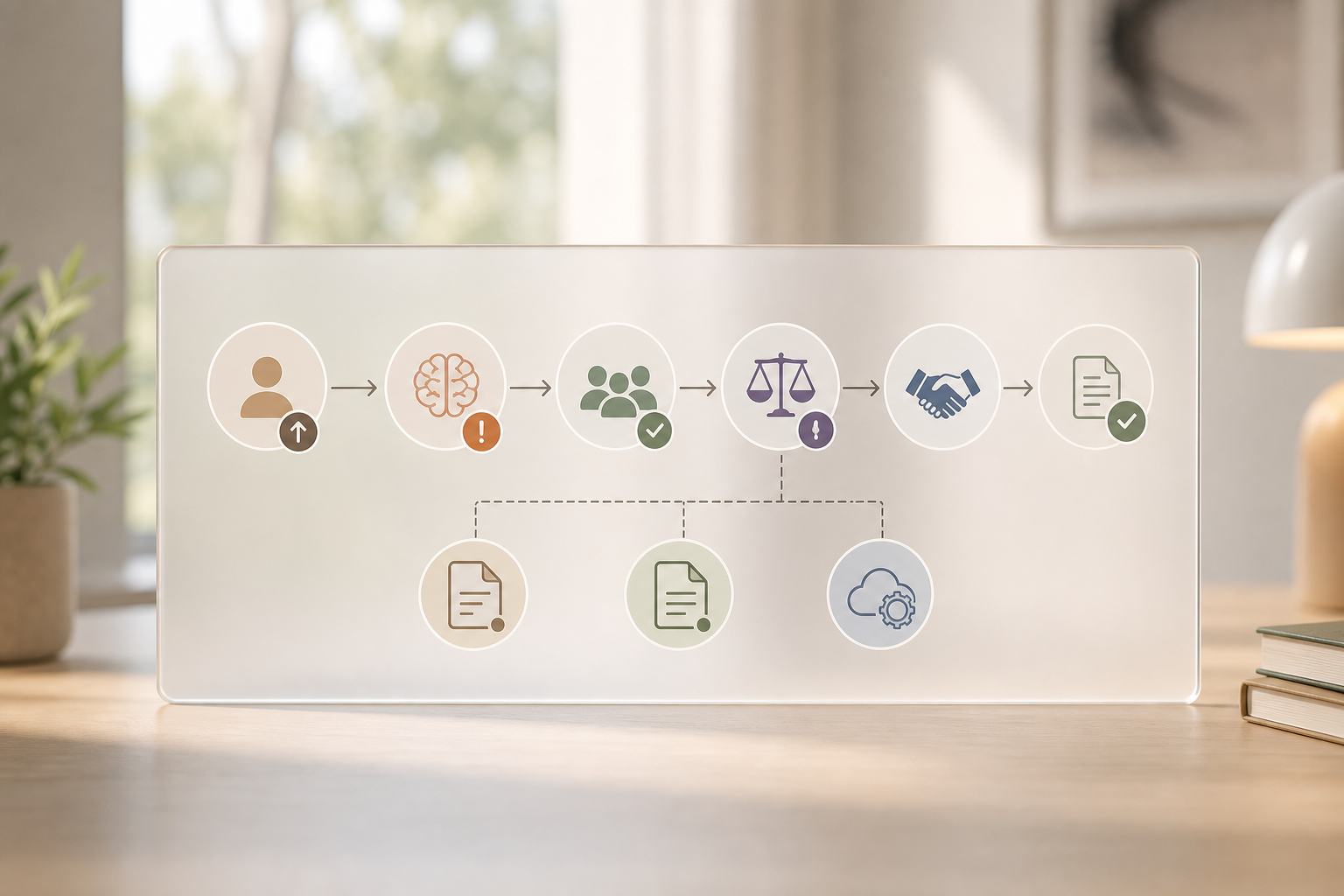
Step 4: Create a review workflow
Decide who uploads documents, where they live, and when AI runs. Most teams review before negotiation so you anchor on safer terms from the start. Set a rule: if the tool flags unlimited liability, governing law outside your home state/country, or data‑breach carve‑outs, escalate to a lawyer.
Step 5: Test with low‑stakes documents first
Pick 5–10 recent contracts that are already signed and run them through. Note what the tool catches, what it misses, and which flags match your gut. This builds trust and teaches you how to read the output.
Step 6: Build a clause library
Save flagged clauses plus your preferred language. Over time, you’ll paste proven fixes into new deals. Some tools let you upload your playbook so the system scores against it.
For example, a bakery signing a commercial lease can watch for “make good” language, CAM charges, and relocation rights. A freelance agency reviewing a client MSA can check that the liability cap is at least 12 months of fees and excludes IP infringement claims from the cap.
Keep it tidy with support tools
- Store drafts and finals in one place. If you need a primer on workflow add‑ons, see this overview of a legal document management system.
- To brush up on the broader toolset, this guide to legal ai tools is a plain‑English starting point.
5 Mistakes Small Business Owners Make with AI Contract Review
AI helps, but it also tempts shortcuts. Here are common errors and simple fixes.
1.
AI spots patterns fast, but it can’t weigh business trade‑offs or negotiate. Fix: set “must‑escalate” triggers (e.g., unlimited indemnity) and book a lawyer when they fire.
2.
Your templates age as laws change. Fix: run your own client agreements and terms of service through the tool every quarter and after any law update you care about.
3.
California, Texas, and India can reach very different results on the same clause. Fix: confirm the tool supports your governing law, and route unclear local issues to a lawyer who practices there.
4.
A red flag is an invitation to ask, not to guess. Fix: define who escalates, to whom, and within what time frame so deals don’t stall.
5.
General LLMs can hallucinate clauses or miss missing ones. Fix: use a legal‑focused platform that shows clause extraction, sources, and risk rationales.
Moreover, treat AI contract review as triage that saves you time and dollars before you pay for expert advice. That mindset reduces anxiety and keeps deals moving.
“Our first scan caught a sneaky auto‑renew that would have locked us for 36 months. That alone paid for the process.” — A small agency owner
For extra grounding, skim this explainer on an ai legal assistant to see where AI shines and where it needs a human check.
Also Read!
How to Find and Use a Lawyer Bidding Marketplace as a Bar Council Advocate
How to Use AI Legal Advice Tools in Hindi and Tamil as a Bar Council Advocate
Tools and Resources for AI-Powered Legal Document Review
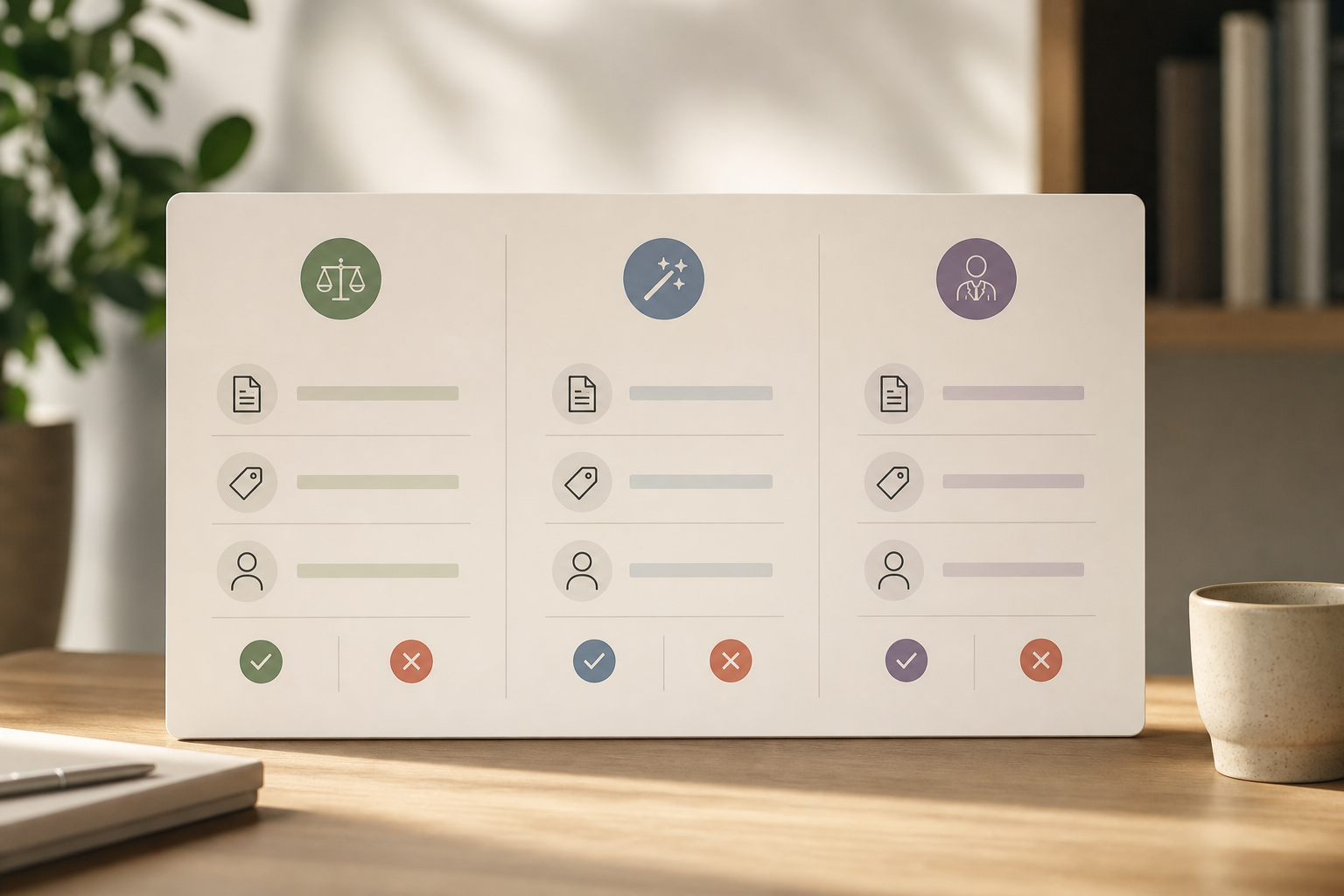
The landscape in 2026 breaks into three practical buckets. Choose based on document types, your jurisdiction, budget, and your comfort with AI‑only vs. AI‑plus‑human follow‑up.
Self‑serve AI contract review platforms
These let you upload documents for automated clause extraction and risk scoring. Names you’ll hear include SpotDraft, ContractPodAi, and Ironclad. You get speed and structure. You don’t get legal advice unless you add it elsewhere. Evaluate them on supported formats (PDF, DOCX), clause library features, and export options.
AI‑assisted legal marketplaces
These combine an AI first pass with access to verified lawyers for affordable follow‑up. One option is LawyerBuddy, which offers AI‑powered legal and tax help for India, 5 free document reviews daily, and AI‑structured case mandates so your jurisdiction, issues, budget, and files are pre‑organized. A 100% Bar Council verified panel and a secured escrow payment system add trust and payment safety. It’s free to register, with no subscription fee. This blend works well if you want triage now and a human to step in only when the stakes are high.
Legal AI add‑ons
These tools plug into tools you already use. Spellbook and Harvey, for example, sit inside document editors or legal platforms to speed drafting and review. They shine when you already have a process and want AI inside it instead of adding another dashboard.
How to compare options
Use a simple grid to avoid guesswork.
| Criterion | Self‑Serve Platforms | AI‑Assisted Marketplaces | Add‑Ons/Plugins |
|---|---|---|---|
| Document types | Contracts, NDAs, MSAs, TOS | Same + case files, notices | Drafts and templates |
| Jurisdiction coverage | Varies by vendor | Matches lawyer network | Follows host platform |
| Pricing model | Per‑document or subscription | Free tier + per‑engagement escrow | Subscription or per‑seat |
| Human escalation | Not built‑in | Built‑in, verified lawyers | External or partner |
For more context on the broader stack small teams use, see this plain‑language guide to legal ai technology. And if you want to understand how research fits into your workflow, this article on ai for legal research breaks down where AI can speed up background checks before you negotiate.
**Visit LawyerBuddy, 5 Free Reviews Daily →
What to Do Next: Getting Started This Week
A simple 7‑day action plan keeps you moving without blowing up your calendar. Use AI contract review as a safety net you can run on live documents right away.
7‑day action plan
-
Day 1–2: Gather your 5 most important active contracts. Pull your commercial lease, your biggest client agreement, 1–2 key vendor contracts, your standard employment agreement, and your insurance policy. Save signed versions and current drafts.
-
Day 3–4: Sign up for a free tier on one tool and upload those 5 documents. Pick a self‑serve platform or an AI‑plus‑lawyer marketplace based on your needs. Keep notes on upload limits, export format, and how clear the summaries feel.
-
Day 5: Review the output. Highlight any flags that surprise you. Note which ones confirm what you already knew. Draft three questions you’d ask a lawyer about the most serious item.
-
Day 6–7: Book a 30‑minute consult for serious flags. Send the AI summary and the contract to the lawyer ahead of time. Ask for a concrete fix or fallback clause you can propose. You don’t need to fix everything at once. Build the habit of reviewing before you sign, not after a problem pops up.
If you want an extra primer to prep that consult, this explainer on ai legal assistance shows how to turn AI notes into clear, lawyer‑ready questions.

Key Takeaways
Small businesses sign more contracts than they realize, and risk hides in the fine print. A clear workflow with AI contract review as the first pass makes those risks visible fast. Then you can decide what to accept, what to push back on, and what to escalate.
Use tools for what they do best: pattern spotting, clause extraction, and organization. Save your budget for human advice on the high‑impact issues. In 2026, the combo of fast AI triage plus targeted counsel is the cost‑smart move.
- Start with an audit and a short list of “must‑catch” clauses. Keep that list next to you every time you review.
- Pick a tool that matches your volume, your governing law, and your need for built‑in escalation to a lawyer.
- Test on low‑stakes contracts, then build a clause library so your results get better each month.
- Set hard escalation triggers (e.g., unlimited indemnity, no liability cap, harsh auto‑renewal) to avoid false confidence.
- Track everything in one place so your team knows the status, next step, and owner for each document.
What to Do This Week
Block 90 minutes. Run five live contracts through a tool. Mark the top three flags.
Book one 30‑minute lawyer call with the AI summary attached. That’s it. By this time next week, your next signature will be safer.
**Visit LawyerBuddy.
Moreover, if you work in India and want the AI first pass plus an affordable, secure handoff, tools like LawyerBuddy combine 5 free document reviews daily with a 100% Bar Council verified panel and a secured escrow payment system. Free to register, with no subscription fee, makes it low risk to try.